

Construction Website Design in 2026: 5 Essential Differences from Ordinary Business Websites
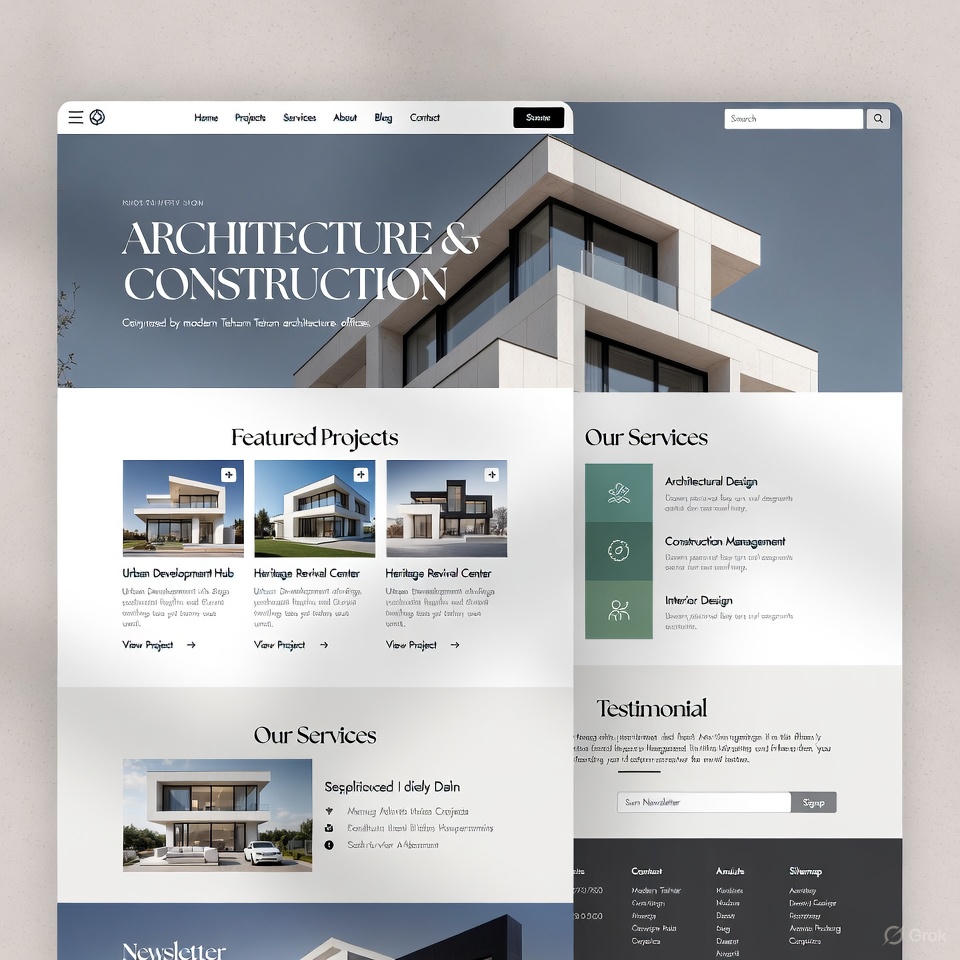
Construction Website Design in 2026: 5 Essential Differences from Ordinary Business Websites
A construction website should do more than look impressive. It should demonstrate completed work, answer technical questions, establish credibility and turn the right visitors into genuine project inquiries. Here are five design decisions that matter particularly for contractors, property developers, architectural practices and building-material suppliers.
Website design follows many of the same fundamentals across industries: clear navigation, accessible content, quick loading, accurate information and an easy way to get in touch. Yet the buying journey in construction is different. A client may be selecting a contractor for a costly renovation, evaluating the safety of a building, commissioning architectural services or comparing the suitability of materials for a long-term project. These decisions involve technical questions, multiple stakeholders and often a longer sales cycle than an everyday online purchase.
That changes what a successful website must prioritize. A strong construction site presents proof before promises, makes technical details easy to compare and supports location-specific searches without creating repetitive pages. This guide examines five practical differences, gives concrete page-design examples and provides a checklist to measure results.
At a Glance: Construction Sites vs. General Business Websites
| Website element | Typical general-purpose website | Construction-focused website |
|---|---|---|
| Primary proof | Brand messages, product cards or general service descriptions | Completed projects, technical evidence, site photos and references |
| Purchase journey | Browse, compare and often purchase online | Research, verify, request a quote, inspect and negotiate |
| Key questions | Features, shipping, support or general pricing | Site conditions, timelines, specifications, scope, location and responsibility |
| Important content | Catalogs, articles or campaign pages | Project case studies, credentials, drawings, walkthroughs and FAQs |
| Desired conversion | Checkout or general enquiry | Qualified consultation, site visit, tender request or specification request |
- 01Local discoveryA buyer searches for a service or project type in a specific area.
- 02Project evidenceReal photos, scope, location and results establish relevance.
- 03Technical confidencePlans, materials, processes and credentials address uncertainty.
- 04Low-friction contactA call, quote form or appointment provides a clear next step.
- 05Qualified follow-upThe sales team confirms budget, location, timeframe and fit.
The website does not complete every construction sale. Its job is to make the next meaningful conversation easier and more informed.
Difference 1: Make Completed Projects the Center of the Experience
Many company websites open with a generic hero image, a slogan and a broad list of services. Those elements may establish a brand identity, but they rarely answer the construction buyer’s first question: “Can this team deliver a project like mine?” A project-first layout gives visitors credible examples before asking them to trust a claim.
What a useful project portfolio should show
Feature a small, carefully selected set of relevant projects on the homepage, then link to dedicated case-study pages. A developer selling apartments may prioritize building type, status, layout and location. A contractor may emphasize the project brief, complexity, execution methods and completion timeline. An architecture firm may lead with the design concept, context and photographs of the finished space.
| Field | What to publish | Why visitors need it |
|---|---|---|
| Project identity | Project type, approximate location and completion status | Confirms that the example matches the searcher’s needs |
| Scope and scale | Floor area, services provided, major constraints | Helps buyers understand whether the team has comparable experience |
| Evidence | Original before-and-after photographs, captions, relevant drawings | Supports claims with visible documentation |
| Technical details | Materials, structural approach, applicable standards where relevant | Answers engineers’ and procurement teams’ questions |
| Time and cost context | Actual or qualified time range; cost range only when disclosure is appropriate | Sets realistic expectations without misleading estimates |
| Next action | Request a similar project quote or arrange a consultation | Connects portfolio exploration with a relevant enquiry |
How to implement it
- Place 4–8 strong featured case studies near the top of the homepage, rather than overwhelming visitors with dozens of thumbnails.
- Use meaningful filters such as residential/commercial, new construction/renovation, project size and region; make sure filters work on phones and remain crawlable through ordinary links where needed.
- Give each substantial project its own unique page, with original captions, accessible images and a logical internal link to the related service page.
- Publish only projects and outcomes that can be verified and that you are authorized to share.
For general inspiration, the original article also referenced Moein Construction Group. Treat any external portfolio as a design reference to assess for yourself, not as evidence of an independently verified increase in leads or dwell time.
Difference 2: Design for Mobile Use and Measurable Performance
Potential clients often open construction websites while comparing properties, discussing a site visit or sharing a project with colleagues. Mobile usability is therefore central to lead generation, not a cosmetic afterthought. Google also uses the mobile version of page content for indexing and ranking under mobile-first indexing.
Prioritize tasks that visitors need to complete
- Keep navigation concise and make Services, Projects, About and Contact obvious.
- Provide a tap-to-call link and, where appropriate, a clearly labeled messaging option. Do not make a messaging app the only route to contact.
- Let visitors view project details and submit a short enquiry without zooming or struggling with small controls.
- Use responsive images, width and height attributes to prevent layout jumps, and modern formats such as WebP or AVIF where supported.
- Load essential above-the-fold images promptly; consider lazy loading lower-page galleries and embeds.
Track Core Web Vitals, not arbitrary speed scores
Google’s Core Web Vitals guidance describes three useful experience targets. Evaluate real-user data where possible, usually at the 75th percentile, and diagnose weaknesses with PageSpeed Insights and Search Console.
| Metric | Good experience threshold | Typical construction-site issue |
|---|---|---|
| Largest Contentful Paint (LCP) | 2.5 seconds or less | Oversized hero photographs or slow server responses |
| Interaction to Next Paint (INP) | 200 milliseconds or less | Heavy sliders, excessive scripts or slow form interactions |
| Cumulative Layout Shift (CLS) | 0.1 or less | Image galleries without reserved dimensions and shifting banners |
There is no universal rule that every photo must be below 100 KB, that every page must load in under two seconds, or that a PageSpeed score of 95 guarantees rankings. Image dimensions, device conditions, page purpose and real-world user experience matter more than a single invented threshold.
For WordPress teams
Choose a lightweight theme, compress and resize uploads, cache suitable resources and audit third-party scripts. Test changes on the actual pages visitors use, not only on the homepage.
For visitors in Iran
Measure load times on typical local mobile networks and devices. Hosting and CDN decisions should follow measured reliability and accessibility, rather than a blanket claim that one provider is always fastest.
Difference 3: Build Trust with Verifiable People, Credentials and Project Facts
Construction decisions affect budgets, schedules and, in some cases, safety. Buyers understandably scrutinize the people and organizations involved. A polished logo or a statement about “20 years of excellence” cannot replace verifiable evidence.
Trust elements worth putting on the site
- People: Identify relevant project managers, architects or engineers and explain what they actually do. Publish credential details only with permission and when the qualifications are authentic and relevant.
- Licenses and affiliations: Show current, applicable registrations and certifications with context; do not use professional-association logos without authorization.
- Project documentation: Describe challenges, materials and decisions honestly, including limitations or changes made during delivery.
- Testimonials: Use genuine quotations with consent. Where possible, connect feedback to an identifiable completed project without revealing private client information.
- Clear terms: Explain the consultation process, indicative scope, warranty or aftercare policies where applicable, and ways to escalate a concern.
- Business transparency: Provide legal business identity, real contact methods and a clearly written privacy notice for enquiry forms.
Google recommends helpful, reliable, people-first content, including clear sourcing and evidence of experience or expertise. That is a useful editorial standard—not a promise that adding a certificate or a staff photograph will automatically increase rankings.
The earlier article mentioned Arco as a design reference. Its link is retained here for continuity; no performance uplift is claimed or independently verified.
Difference 4: Combine Real Visual Evidence with Search-Friendly Explanations
Construction services are unusually visual. A villa owner wants to understand the finished space; an investor wants to assess progress and quality; an engineer may need details that a photograph alone cannot communicate. That makes images, short videos, diagrams and optional virtual tours useful—but only when they answer real questions.
The best content mix for construction projects
| Format | Best use | Publishing recommendation |
|---|---|---|
| Authentic site photographs | Showing materials, workmanship, scale and actual conditions | Add informative captions and natural alt text; obtain permission when people or private sites appear |
| Before-and-after comparison | Demonstrating a renovation or restoration outcome | Label stages clearly and use consistent viewpoints where possible |
| Short progress videos | Explaining methods and execution sequence | Include descriptive titles, transcripts or key points in text |
| 360-degree tour | Helping users understand room flow or a completed facility | Offer a lightweight fallback and avoid making the tour compulsory |
| Plans, sections and specification sheets | Supporting technical decisions | Clarify whether a file is illustrative, preliminary or approved for construction |
Make images and videos understandable to Google
Use descriptive filenames, accurately written alt text and captions near relevant text. Google’s image SEO documentation specifically recommends descriptive content and optimized, responsive images. For a dedicated page with a public video, VideoObject structured data may help Google understand the video when the required metadata is genuinely available and matches what users see.
A generic Project or ImageGallery schema label should not be described as a guaranteed Google rich-result feature. Use only accurate, appropriate structured data, test eligible types and remember that markup does not guarantee special presentation in Search.
Practical example
A villa renovation page might present an exterior photo, a 45-second explanation of structural and moisture-control challenges, annotated plans, three before-and-after comparisons, a short list of materials and an optional walkthrough. This is more informative than uploading 60 uncaptioned 4K images. Select the amount of media the project genuinely needs.
Difference 5: Make Location-Specific Discovery Lead to Fast, Relevant Enquiries
A person searching for an apartment renovation contractor in Tehranpars or a villa architect near Lavasan wants evidence of nearby experience, not a page that merely repeats a city name. Construction websites benefit from location-aware service content, but every local page must offer distinct value.
Build local pages around actual work—not copied location keywords
- Create a dedicated area page when you can show real projects, service coverage, local restrictions or practical information relevant to that area.
- Link from a regional page to nearby completed projects and the relevant service offering.
- State whether your office is actually located there or whether the area is only within your service radius.
- Use real directions and a map where helpful, but ensure address information is accurate and privacy-conscious.
- Use a short form that asks only for what your team needs: project type, location, approximate scope, timeline and a response method.
- Track enquiries through a CRM or simple sales pipeline so the business can distinguish meaningful opportunities from low-quality form submissions.
Adjust local-search tactics to the country
In countries where it is supported, an accurate Google Business Profile may complement the website. For businesses based in Iran, Google Business Profile is not supported under Google’s current country eligibility guidance. Iranian businesses should instead emphasize crawlable location and service pages, consistent contact details, legitimate local directories and map providers available to their users, as well as evidence from projects in the areas served.
For qualified prospects, the most helpful call to action is often more precise than “Contact Us”: examples include “Request a renovation estimate,” “Schedule a site assessment” or “Download the material specification sheet.” Explain what happens after the form is submitted and how quickly the team normally responds—only if that expectation can be met.
Technical SEO and AI Search Considerations for 2026
The five differences above should sit on top of a reliable technical foundation. Current Google Search Central SEO guidance favors useful, accessible pages whose structure and content match the visitor’s intent.
Technical checklist for a construction website
- Give each important service and portfolio page a clear, descriptive title and a concise meta description.
- Use a logical heading hierarchy; this article begins with
h2to fit an existing CMS page where anh1may be supplied elsewhere. - Make internal links between services, regions and projects descriptive and useful.
- Publish text explanations alongside visual media so users and search systems can understand the work.
- Ensure mobile navigation, form labels, contrast and keyboard access are usable.
- Use appropriate structured data, such as
BlogPostingfor an article, only when it accurately reflects visible content. Add video markup only to genuine video pages that meet the requirements. - Measure actual search queries and conversions using Search Console, analytics and sales records.
- Keep project availability, contact details, team credentials and case-study facts current.
Google’s guidance on AI Overviews and AI Mode confirms that ordinary SEO fundamentals still apply; there is no special AI schema or guaranteed optimization trick required for inclusion. Clear, factual explanations and firsthand project documentation are valuable to visitors regardless of how they first discover the page.
For further information on planning a site specifically for the sector, see construction company website design.
A Practical 90-Day Improvement Roadmap
Rather than redesigning everything at once, use a staged plan that fixes obvious problems, publishes high-value evidence and improves the path from visitor to customer.
| Period | Priority actions | Useful output |
|---|---|---|
| Days 1–30 | Audit mobile usability and forms; review current analytics; select key services and 5–8 real projects; check claims and credentials | Baseline KPIs, improved navigation, clearer calls to action |
| Days 31–60 | Publish detailed case studies, optimize images, improve performance, connect service pages to relevant project evidence | Distinct portfolio pages, accessible media and more useful service pages |
| Days 61–90 | Create genuinely differentiated regional pages, test forms and lead quality, refine headlines and content based on query data | Local relevance, measurable lead pipeline and a prioritized next-quarter plan |
Measure business results rather than traffic alone
| KPI | Definition | Where to track it |
|---|---|---|
| Qualified enquiries | Contacts that match the right geography, service and approximate budget | Forms, call logs and CRM |
| Enquiry conversion rate | Enquiries divided by relevant website sessions | Web analytics with correctly configured conversion events |
| Site-visit booking rate | Qualified enquiries that schedule a meaningful visit or consultation | CRM and appointment records |
| Lead-to-contract rate | Signed contracts divided by qualified leads from a defined period | CRM linked to sales outcomes |
| Cost per qualified lead | Marketing spend divided by qualified leads, with costs properly allocated | Campaign records and finance data |
| Mobile performance | Real-user LCP, INP and CLS where data are available | Search Console and PageSpeed Insights |
Set targets from your own baseline, not from another company’s headline results. No design template can guarantee a particular number of calls, a first-page ranking or a fixed conversion uplift.
Frequently Asked Questions
What makes a construction company website different from a standard corporate website?
Construction buyers usually require evidence of similar completed work, reliable team credentials, technical information, location coverage and a clear way to request a project-specific consultation. A general corporate site often places more emphasis on broad brand messaging.
How many projects should appear on the homepage?
Start with a small selection of high-quality, representative projects—often around four to eight—and provide links to full case studies. Relevance and useful detail matter more than a fixed count.
Does every project need a 360-degree virtual tour?
No. A virtual tour can help with completed villas, apartments, offices or public buildings, but it adds development and loading costs. Use it where the tour meaningfully improves a visitor’s understanding, and provide accessible alternatives.
Will fast loading speed guarantee better Google rankings?
No. Core Web Vitals are useful experience measures, but good scores do not guarantee rankings. Accurate content, relevance, crawlability, site quality and many other factors still matter.
Should construction firms create a page for every neighborhood?
Only when each page serves a real audience need with unique projects, service details or genuinely local information. Thin, near-duplicate neighborhood pages can be treated as doorway abuse.
Can a construction business in Iran use Google Business Profile?
Google currently does not support Business Profiles for businesses based in Iran. A useful website, authentic regional project pages and legitimate local discovery channels remain important alternatives.
Conclusion: Your Construction Website Is a Digital Showroom and a Qualification Tool
A successful construction website is not simply a polished brochure. It should help a prospect evaluate your previous work, understand the services you deliver, see the people responsible and take an appropriate next step. The strongest approach combines project-first design, strong mobile usability, verifiable trust, useful visual documentation and genuine local relevance.
If your current website relies on stock photographs, unexplained claims or a single generic contact page, begin by improving one complete service-to-project-to-enquiry journey. Test it on real devices, collect feedback from prospects and evaluate the quality of leads over time. That produces a more defensible improvement strategy than relying on guaranteed rankings or spectacular but undocumented sales figures.
To explore a construction-sector-specific website strategy, visit Reza Hojati or read the related guide to construction and architecture website design.
Turn this thinking into a growth system for your construction business.
Connect SEO, web, lead generation, data and AI into one operating system.
Request a Consultation